阿里云服务器安装nvidia驱动
·
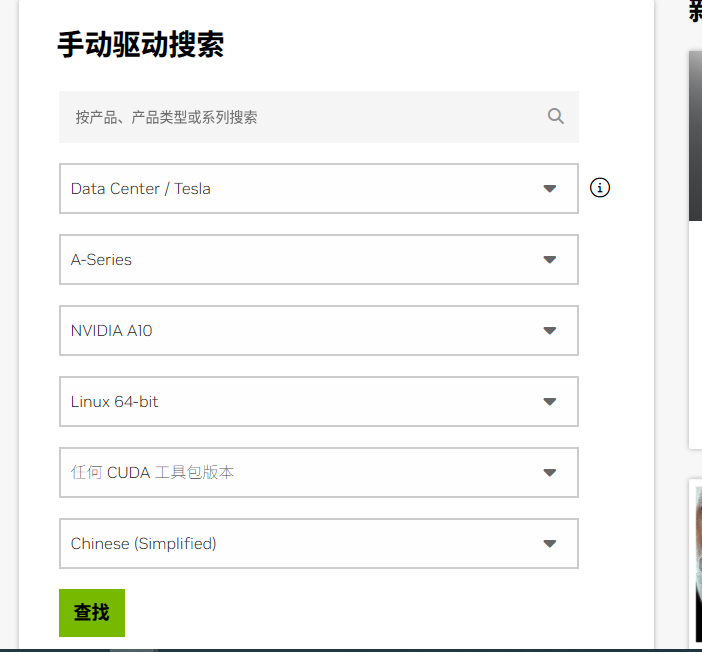
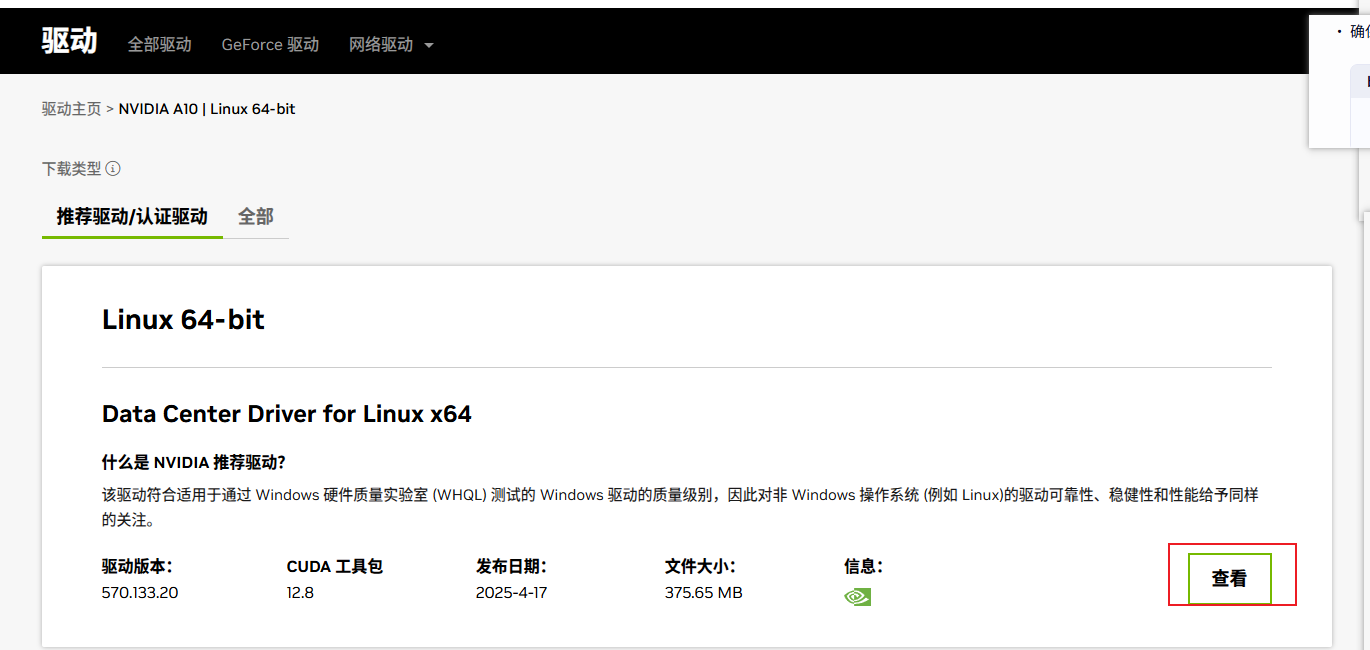
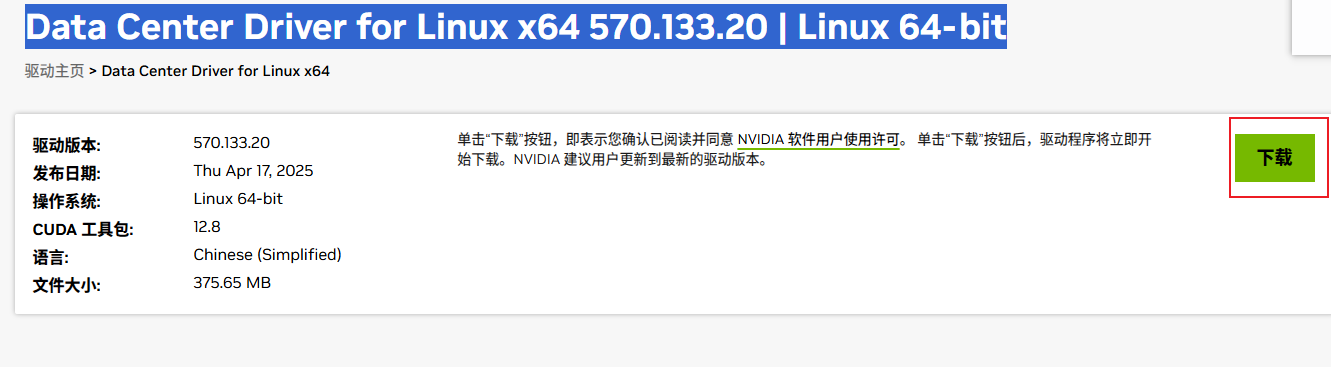
首先在自己本机下载对应的驱动 https://www.nvidia.cn/drivers/lookup/
在阿里云服务器做如下检查和设置
sudo systemctl status sshd  # 应显示 "active (running)"

vim /etc/ssh/sshd_config   #检查认证方式匹配

## 如果使用密码认证
PasswordAuthentication yes
## 如果使用密钥认证
PubkeyAuthentication yes
##保存退出
sudo systemctl restart sshd  ##重启 SSH 服务生效
本地电脑操作
方法一 打开cmd窗口
scp NVIDIA-Linux-x86_64-570.133.20.run root@aliyun_ip:/tmp
 ##替换 aliyun_ip 为实际 IP(如 129.213.155.170)。
#处理首次连接提示(如出现)
The authenticity of host 'aliyun_ip' can't be established.
...
Are you sure you want to continue connecting (yes/no/[fingerprint])?
#输入密码
root@aliyun_ip's password:

## 验证上传

ssh root@aliyun_ip
ls /tmp  # 应显示 NVIDIA-Linux-x86_64-570.133.20.run
方法二 使用powerShell 等软件上传下载好的驱动;
在服务器运行安装脚本
##赋予安装包执行权限
chmod +x NVIDIA-Linux-x86_64-570.133.20.run
#运行安装脚本
sudo ./NVIDIA-Linux-x86_64-570.133.20.run
接下来就是按照系统提示操作
更多推荐
 1
 0
- 0


 已为社区贡献1条内容

所有评论(0)