奇怪的nvidia-smi不好使了?
问现场说啥也没动过,系统就改了IP地址和加了给普通用户。本地已经调试好系统,运送到现场后,运维人员突然反馈nvidia-smi不能用?6.重启系统后,nvidia-smi正常显示结果。现在就得想办法把内核降会原先的版本。检查系统发现,果然内核更新过。
·
本地已经调试好系统,运送到现场后,运维人员突然反馈nvidia-smi不能用???
NVIDIA-SMI has failed because it couldn't communicate with the NVIDIA driver. Make sure that the latest NVIDIA driver is installed and running.
现场反馈:
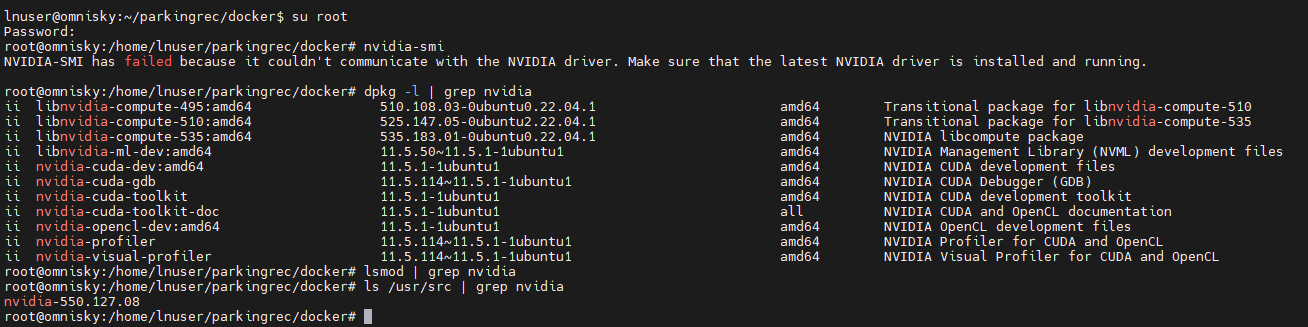

问现场说啥也没动过,系统就改了IP地址和加了给普通用户。感觉很奇怪。没变更?没道理。
检查系统发现,果然内核更新过。
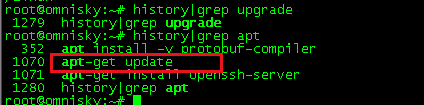
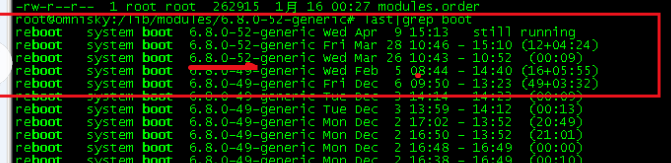
现在就得想办法把内核降会原先的版本。
dpkg --get-selections | grep linux-image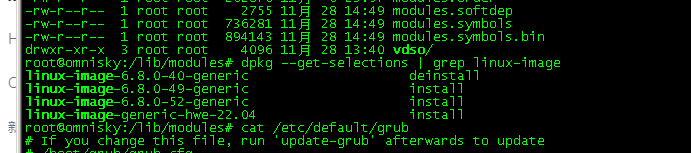
修改内核:
-
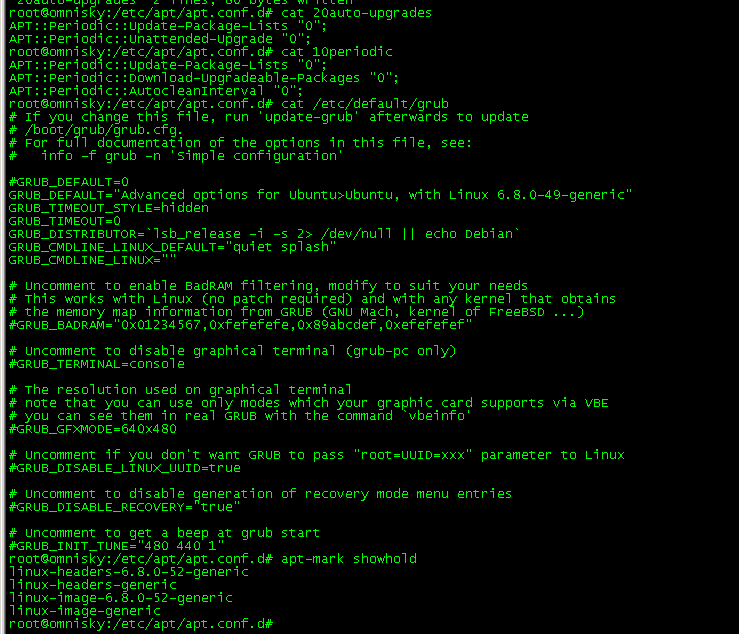
vi /etc/default/grub -
设置默认内核:
找到GRUB_DEFAULT=0,修改为
GRUB_DEFAULT="Advanced options for Ubuntu>Ubuntu, with Linux 6.8.0-49-generic"
3更新 GRUB 配置
update-grub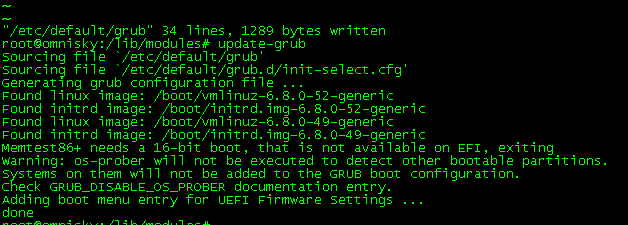
4.验证
grep "menuentry.*6.8.0-49" /boot/grub/grub.cfg
- 5.reboot系统,并检查
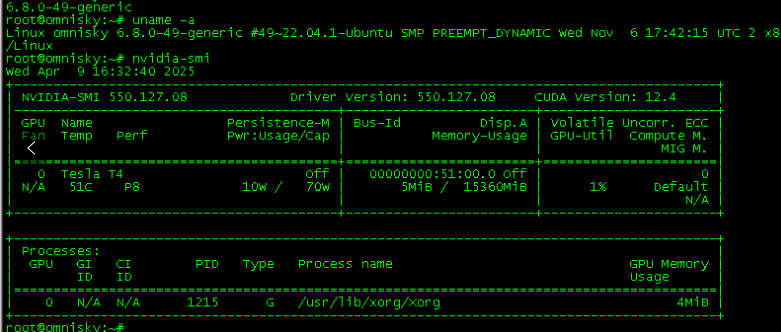
root@omnisky:/etc/apt/apt.conf.d# uname -a
Linux omnisky 6.8.0-49-generic #49~22.04.1-Ubuntu SMP PREEMPT_DYNAMIC Wed Nov  6 17:42:15 UTC 2 x86_64 x86_64 x86_64 GNU/Linux
root@omnisky:/etc/apt/apt.conf.d# uname -r
6.8.0-49-generic
6.重启系统后,nvidia-smi正常显示结果
7.关闭内核升级:
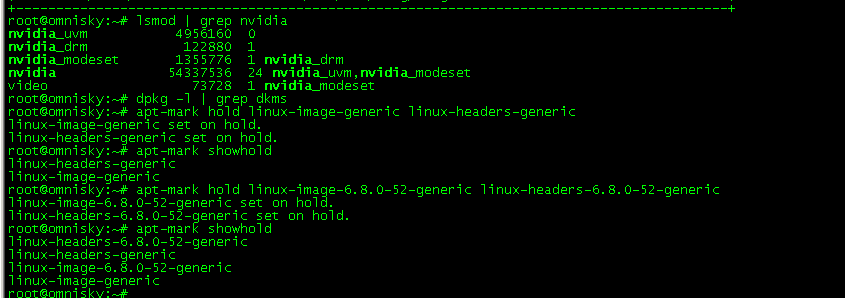
apt-mark hold linux-image-6.8.0-52-generic linux-headers-6.8.0-52-generic
apt-mark hold linux-image-generic linux-headers-generic
验证
apt-mark showhold
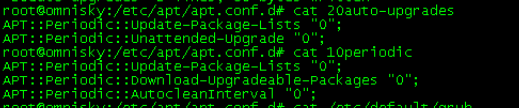
8.关闭自动更新:
把值从1改成0
9.检查最终结果
更多推荐
 8
8 0
0- 0


 已为社区贡献6条内容

所有评论(0)