
pandas读取excel中的数据保存到mysql数据库中
pandas读取excel中的数据保存到mysql数据库中
·
场景:pandas从excel中读取数据存入到mysql数据库中。
excel中的数据如下: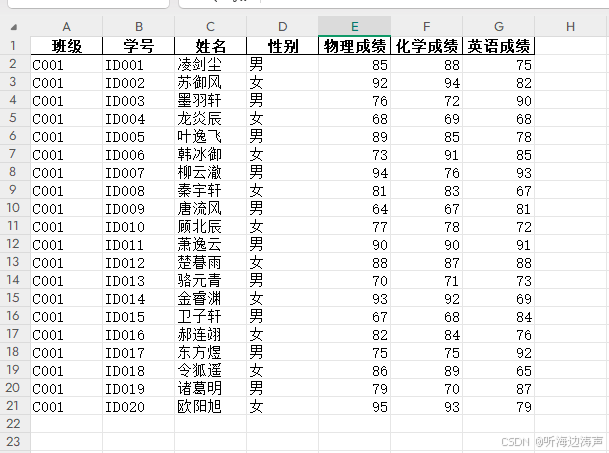
数据准备
import pandas as pd
file_path = './data/合并后的学生成绩信息表.xlsx'
df = pd.read_excel(file_path)
查看数据的前几行: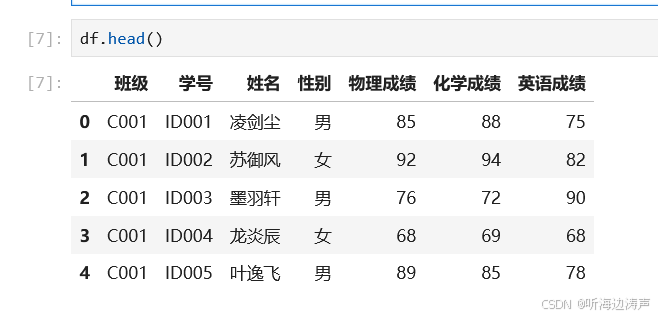
查看索引: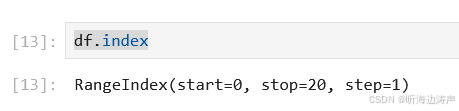
给索引一个名字:
# 给索引一个名字
df.index.name = 'id'
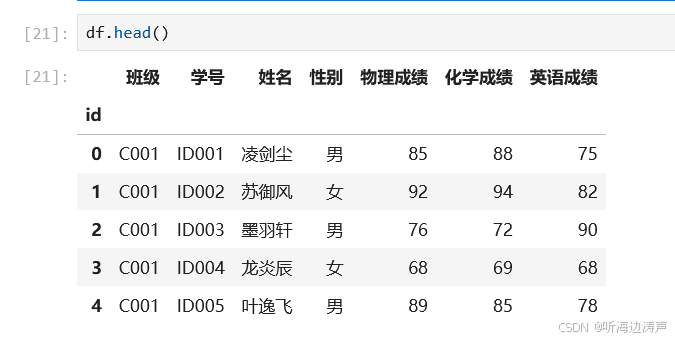
再查看索引: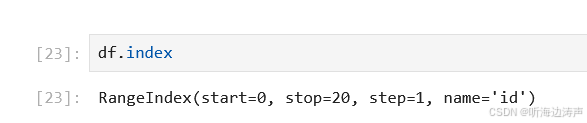
创建sqlalchemy 的引擎
SQLAlchemy 是 Python 的 SQL 工具包和对象关系映射器(ORM),它为应用程序开发者提供了完整的 SQL能与灵活性。
SQLAlchemy的官网地址:https://www.sqlalchemy.org/
如果没有安装SQLAlchemy,可以通过命令pip install SQLAlchemy进行安装。
需要安装SQLAlchemy的依赖库mysql-connector-python,使用命令pip install mysql-connector-python可以安装 MySQL 官方驱动。
from sqlalchemy import create_engine
from sqlalchemy import text
# mysql+mysqlconnector中的mysql表示使用MySQL数据库,mysqlconnector是MySQL的一个python驱动程序mysql-connector-python
# user_name:password表示连接数据库的用户名和密码
# 127.0.0.1:3306表示ySQL数据库运行在本地机器上,监听端口是3306
# database_name 表示要连接的数据库名称
engine = create_engine('mysql+mysqlconnector://user_name:password@127.0.0.1:3306/database_name', echo=False)
场景1:每次覆盖整个表
函数语法:
DataFrame.to_sql(name, con, *, schema=None, if_exists='fail', index=True, index_label=None, chunksize=None, dtype=None, method=None)
如果参数if_exists=‘replace’:插入新值之前drop表。
# student_info要创建的数据库表的名字
# if_exists='replace'表示插入新值之前drop表
df.to_sql(name='student_info', con=engine, if_exists='replace')
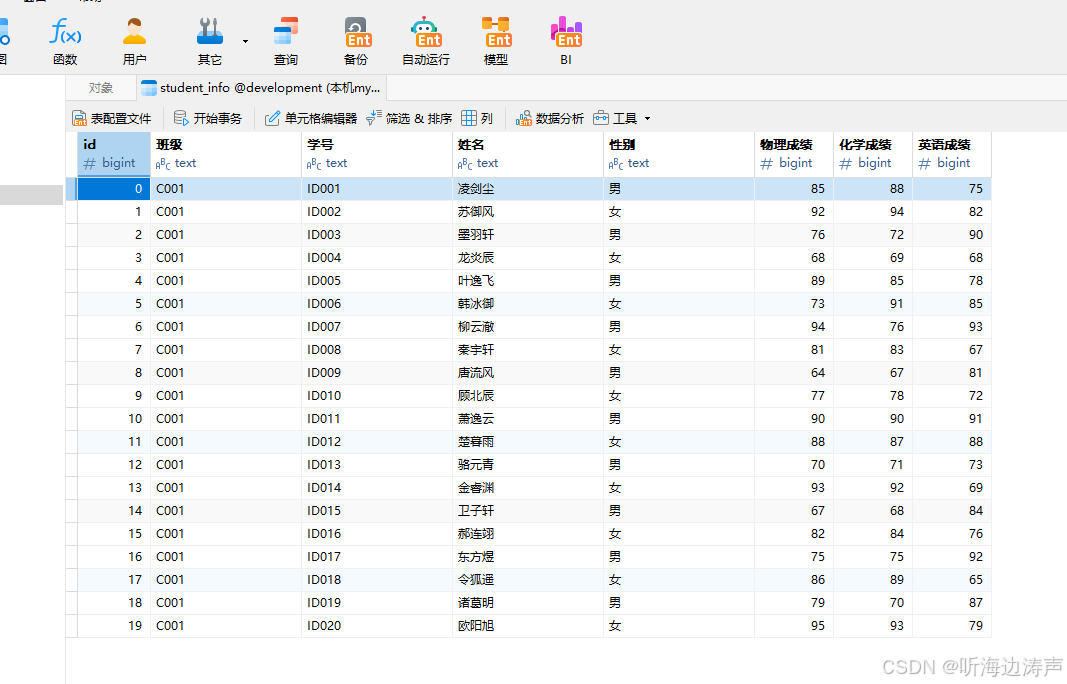
运行,然后到数据库中查看,表已经创建成功了,数据也插入成功了: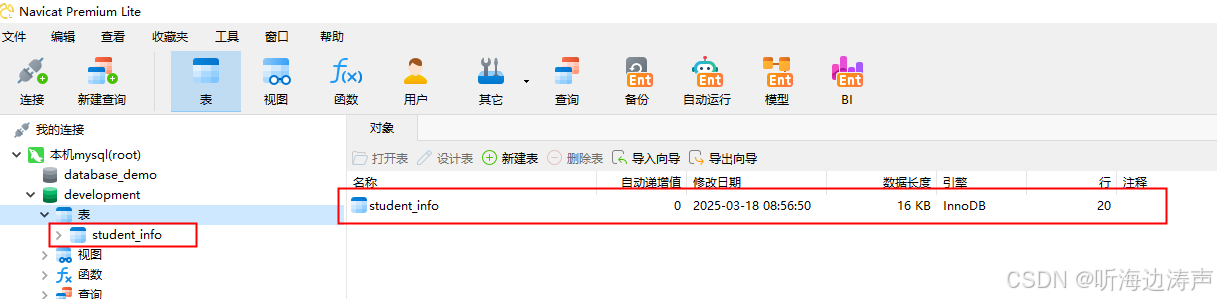
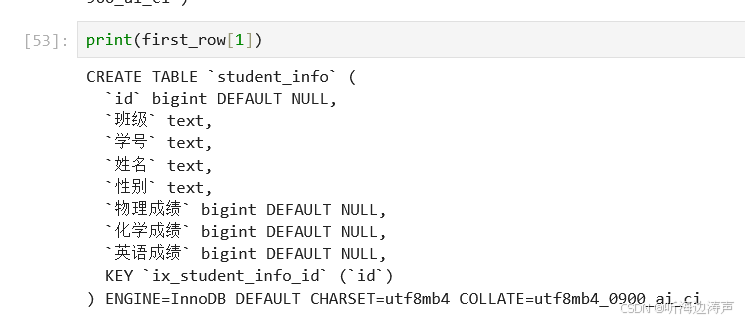
查看建表语句:
with engine.connect() as connection:
    result = connection.execute(text('show create table student_info'))
    print(result)
    first_row = result.first()
输出:

查询表中有多少行数据:
with engine.connect() as connection:
    result = connection.execute(text('select count(*) from student_info'))
    print(result.first())
输出:
取前5行:
with engine.connect() as connection:
    result = connection.execute(text('select * from student_info limit 5')).fetchall()
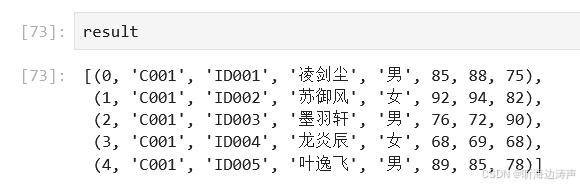
场景2:当数据表存在时,每次新增数据
先构造一个新的df:
df_new = df.loc[:5, :]
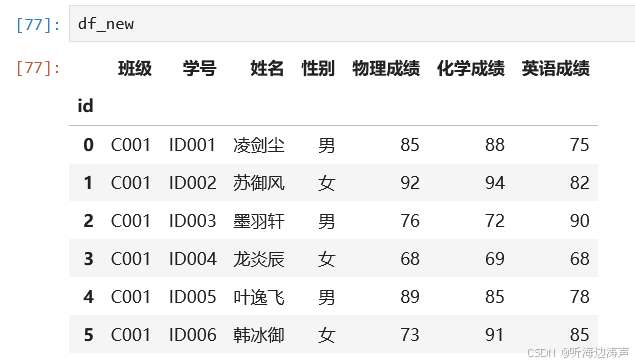
在已存在的表中插入数据:
# if_exists='append'表示在已存在的表中插入数据,不drop表
df_new.to_sql(name='student_info', con=engine, if_exists='append')
输出:
取出 id <= 5的行:
with engine.connect() as connection:
    result = connection.execute(text('select * from student_info where id <= 5')).fetchall()
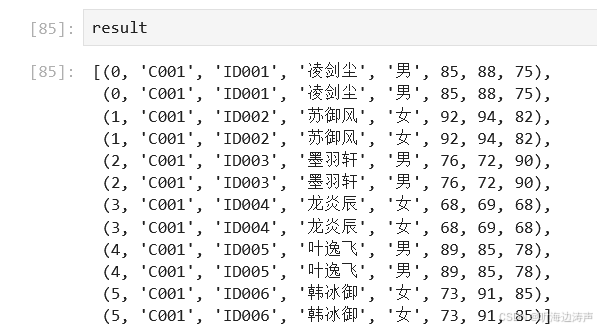
可以看到,因为表中已经有数据了,再插入相同的数据,会导致数据重复。
问题解决:先从表中删除跟将要插入数据重复的记录,然后再插入。
查看要插入的数据的索引:
在表中删除跟将要插入的数据重复的记录:
with engine.connect() as connection:
    for id in df_new.index:
        sqlstr = f'delete from student_info where id = {id}'
        print(sqlstr)
        connection.execute(text(sqlstr))
    connection.commit()
输出: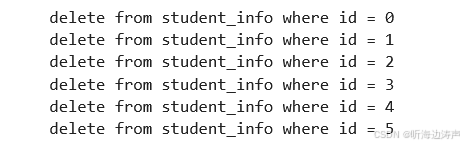
再看看表中 id <=5 的记录还有没有了:
with engine.connect() as connection:
    result = connection.execute(text('select * from student_info where id <= 5')).fetchall()
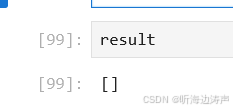
说明记录被删掉了。
现在查看表中记录的行数:
with engine.connect() as connection:
    sqlstr = f'select count(*) from student_info'
    result = connection.execute(text(sqlstr)).first()
    print(result)
输出:
下面新增数据到表中:
df_new.to_sql(name='student_info', con=engine, if_exists='append')
输出:
现在查看 id <= 5的记录:
with engine.connect() as connection:
    result = connection.execute(text('select * from student_info where id <= 5')).fetchall()
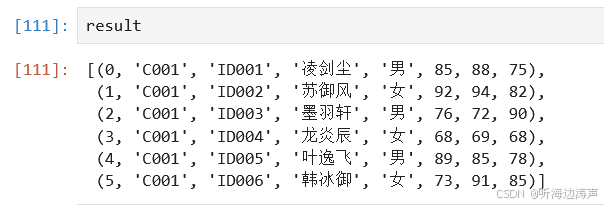
看看表的总记录数:
with engine.connect() as connection:
    result = connection.execute(text('select count(*) from student_info')).first()
    print(result)
输出:
更多推荐


 5
5 0
0- 0


 已为社区贡献3条内容

所有评论(0)